
My top 10 home office gadgets in 2026
🏠Office,🕹️Gadgets,⭐️Featured
I work from home. Just like the rest of my Nozbe team. We all work from our homes. That’s why I’ve been tweaking my home office almost every year since 2008 and documenting it on my blog. Now it’s time for the 2026 edition where I’m going to approach it differently than usual. As my home office 2025 has changed only slightly, I’m going to list the top 10 gadgets that make it a great place to work for me. Only some of them are new, but most have survived many years of service and are still great today. Here’s the list:
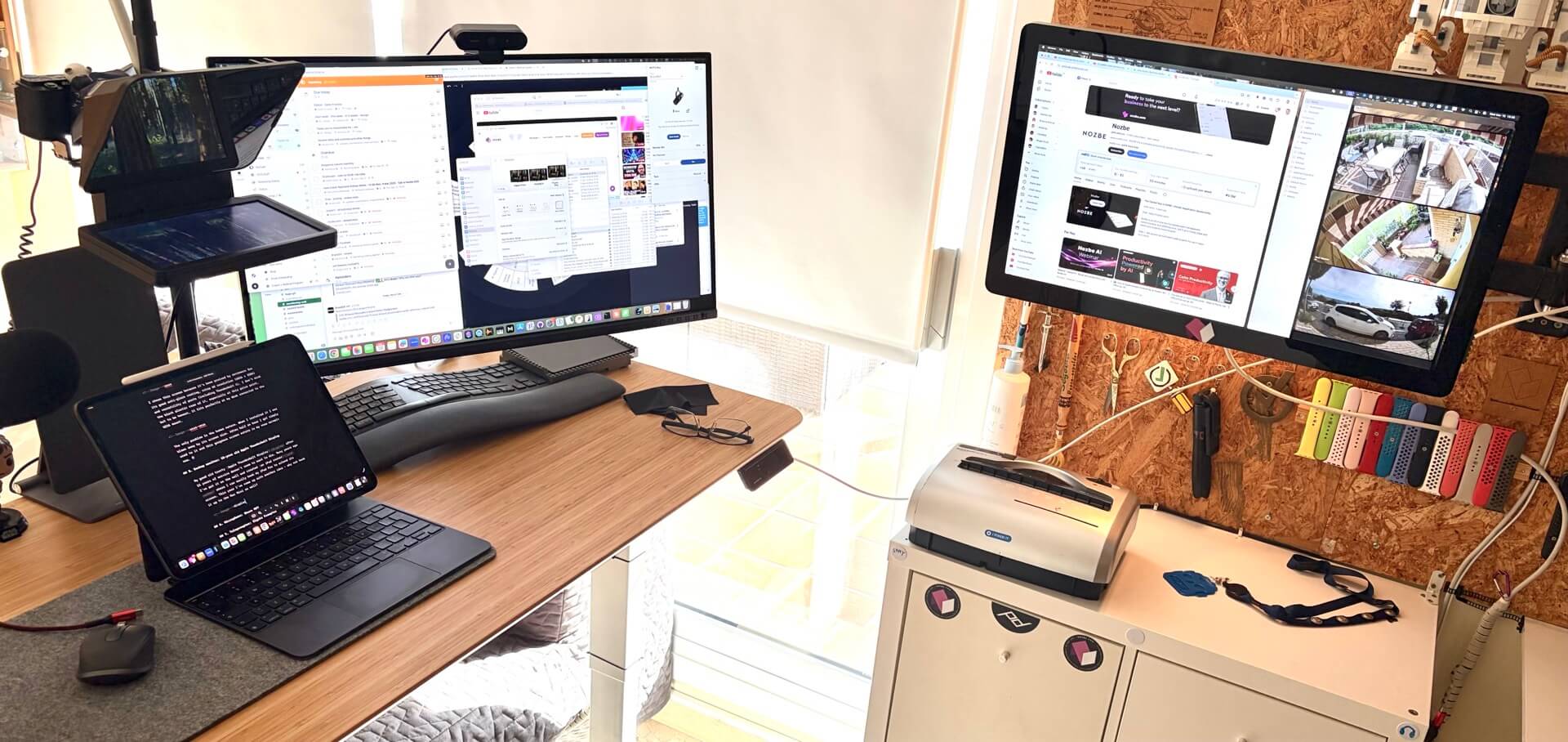
- 1. Sit / Stand Up Desk
- 2. Main Machine: M4 iPad Pro 1TB Cellular
- 3. Computer: M4 Mac Mini with 2TB SSD
- 4. Monitor: Asus ProArt 6K Monitor
- 5. Backup monitor: 15-year old Apple Thunderbolt Display
- 6. Microphone: Shure MV7
- 7. Teleprompter: Elgato Prompter
- 8. Lights: Elgato KeyLight
- 9. Input: Logitech Ergo Keyboard, MX Anywhere Mouse and Trackpad
- 10. Webcams: Sony ZV-E10 and Logitech Brio
- PS. DVD Drive just in case?
- Home Office 2026 is ready for this year’s challenges!
1. Sit / Stand Up Desk
I’ve been working standing for over a decade now and I’ve had different height-adjusting desks in my home office. I started with an IKEA desk and later I graduated to this one by the company called MaideSite Dual Motor Stand Up Desk. There are several similar desks on the market. In the US a similar desk could be FlexiSpot E6 Bamboo.
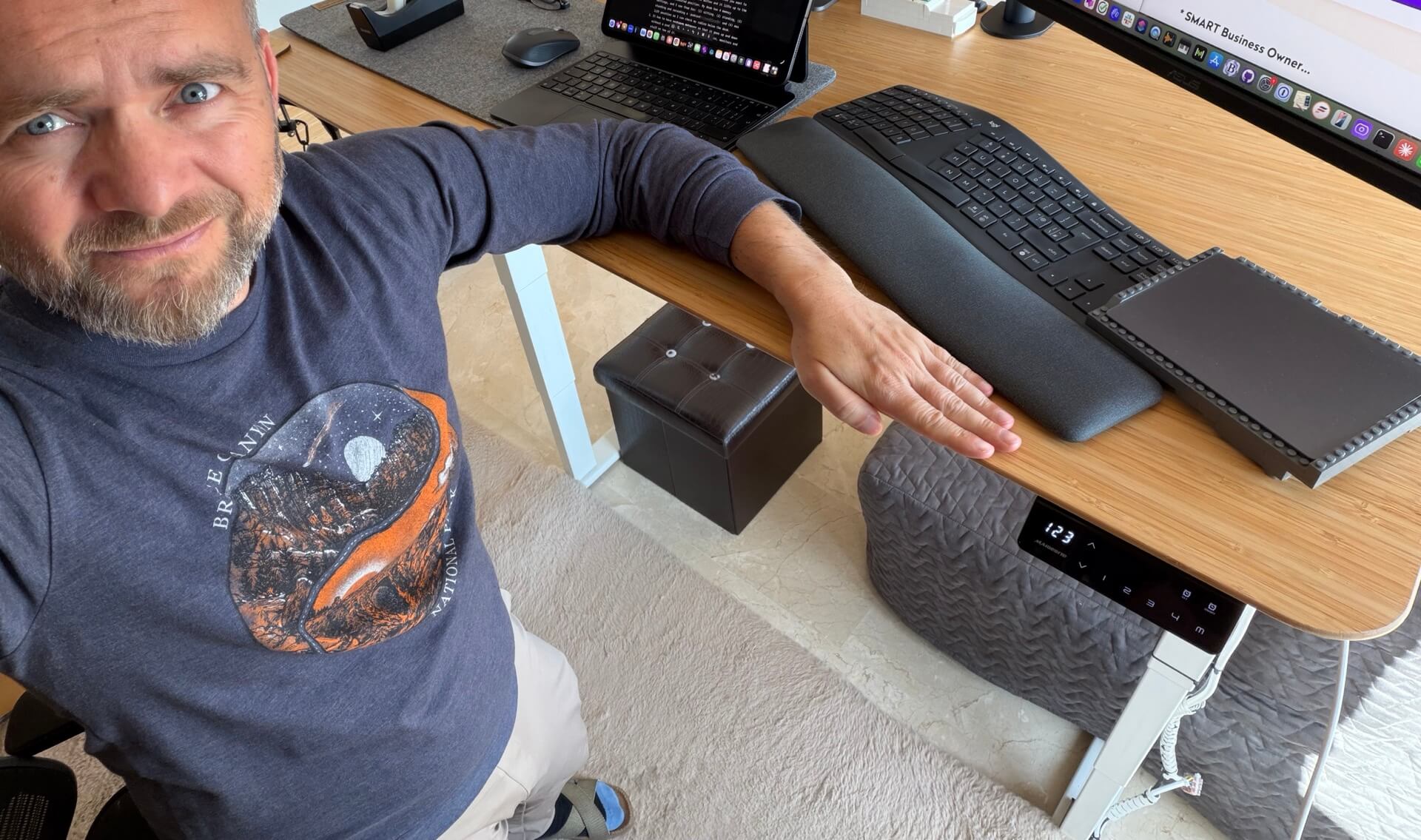
The exact make of the desk doesn’t really matter. What matters are three factors:
- It has to have a memory setting so that when you want to work standing, you just hit one button and it lifts up to the previously-calibrated position. My desk has 4 memory settings, and I use them for: (1) sitting, (2) standing, (3) standing and recording a podcast and (4) max lift position so I can check my cables below the desk.
- It has to have strong dual motors so that it goes up and down without a problem and can have all my computers, monitors and accessories. It should support at least 150kg or 300 lbs of weight.
- Choose a great tabletop. As big as possible and as good looking as possible. Mine is the ANFALLARE model (size of 140cm x 65 cm) which is made of bamboo and it feels glorious.
I don’t work standing all the time. It’s more like 50/50 which works great for me.
2. Main Machine: M4 iPad Pro 1TB Cellular
I’m an #iPadOnly guy through and through. I’ve argued over the years that it’s the most versatile computer ever and it makes me very productive. You can listen to my arguments on the podcast.
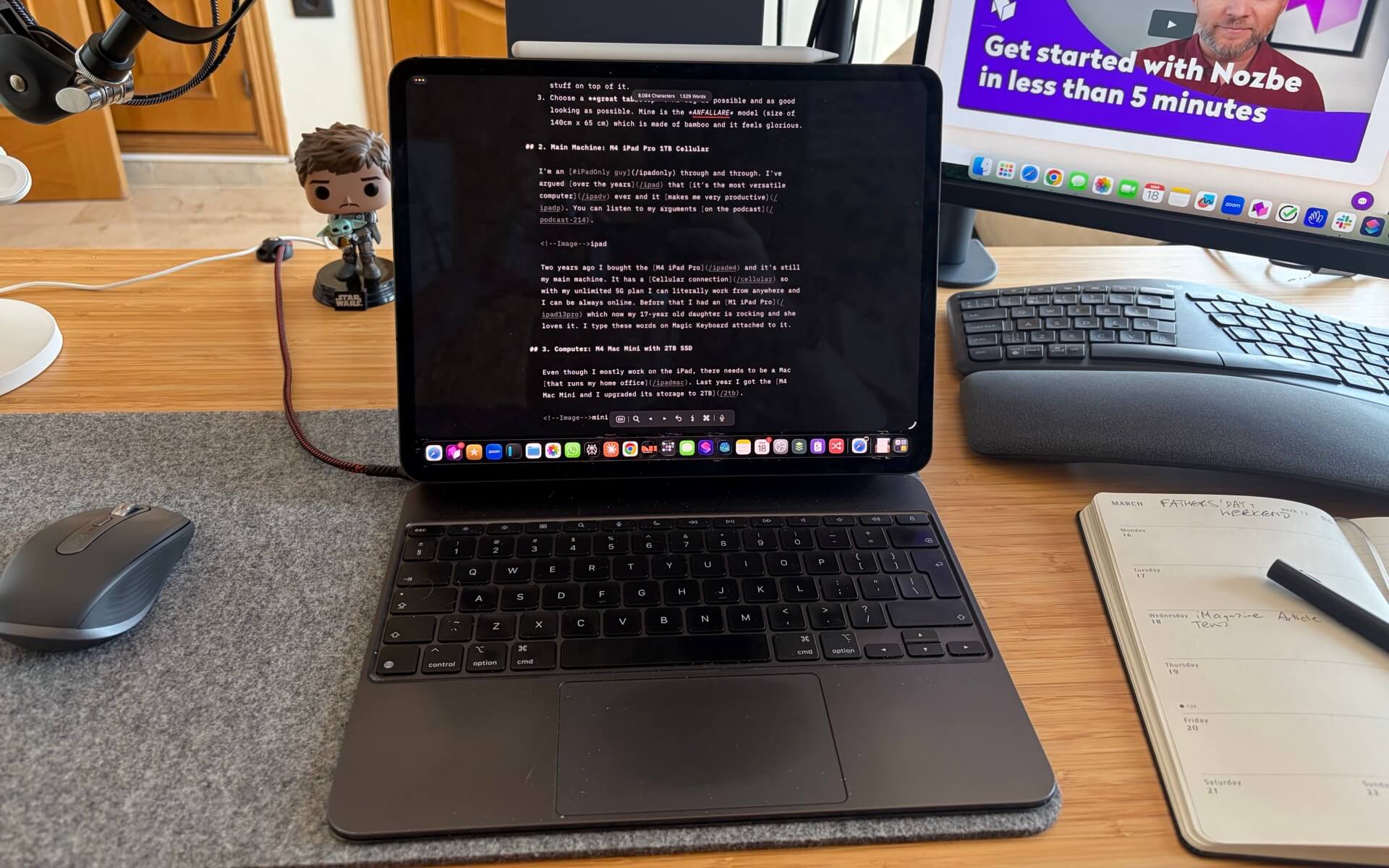
Two years ago I bought the M4 iPad Pro and it’s still my main machine. It has a Cellular connection so with my unlimited 5G plan I can literally work from anywhere and I can be always online. Before that I’ve been working for 3 years on an M1 iPad Pro which now my 17-year old daughter is rocking and she loves it. I type these words on the Magic Keyboard attached to it.
The iPads are surprisingly long-lasting. The M1 iPad Pro I originally bought in 2021 is 5 years old and still a great machine for my daughter. My M4 iPad Pro is almost 2 years and I don’t have any reason to change it. Yes, they were both very expensive but they are a gift that keeps on giving. FYI the battery capacity on mine is at 88% after 278 cycles.
3. Computer: M4 Mac Mini with 2TB SSD
Even though I mostly work on the iPad, there needs to be a Mac that runs my home office. Last year I got the M4 Mac Mini and I upgraded its storage to 2TB.
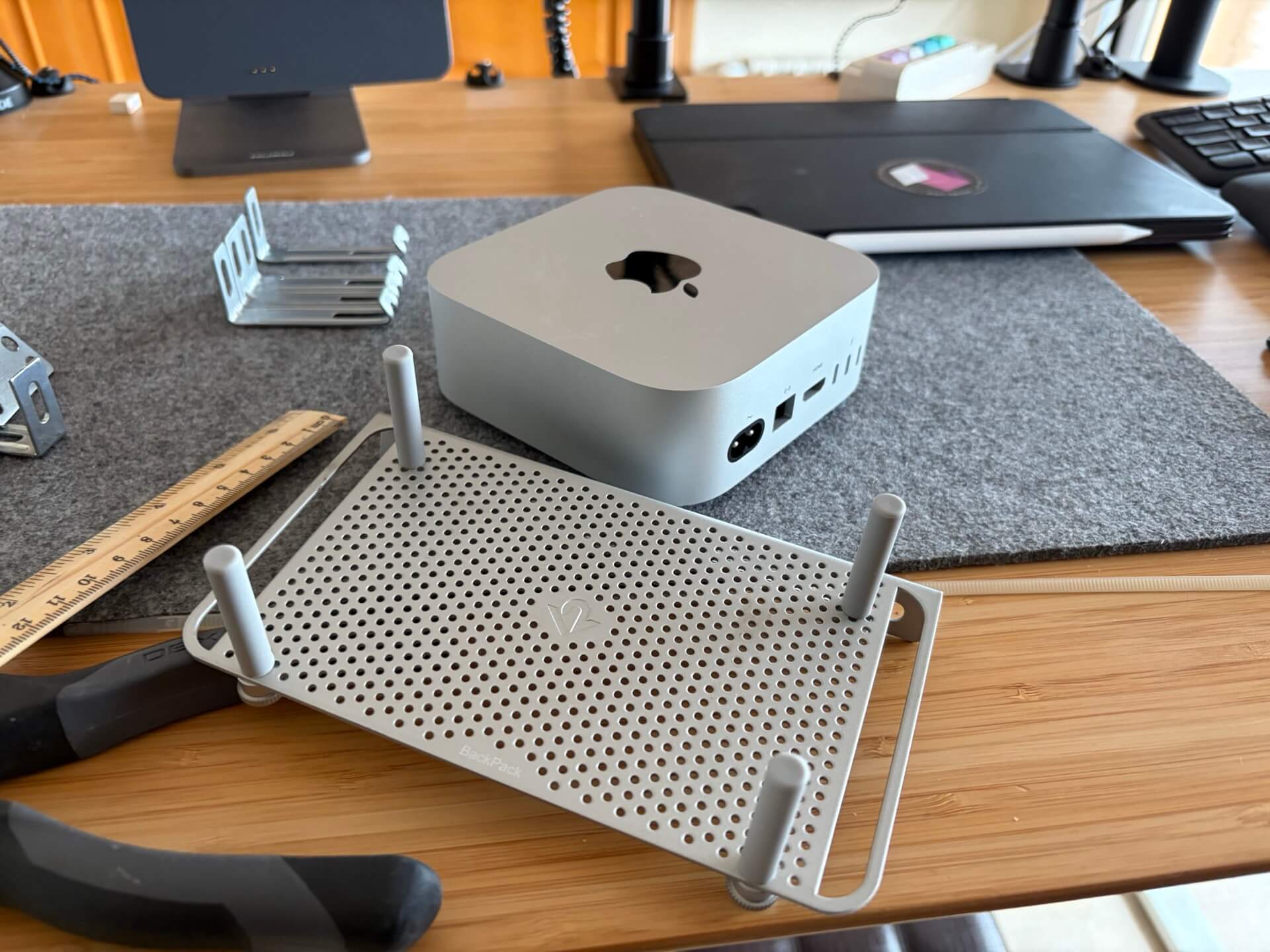
It’s a great little computer and it’s more than enough to run my recording studio and backups. Because it’s so small and cute I kept it on top of my desk, but this year I decided to move it below for even better cable management. I’ve used my old TwelveSouth mount for MacBook and it fit perfectly.
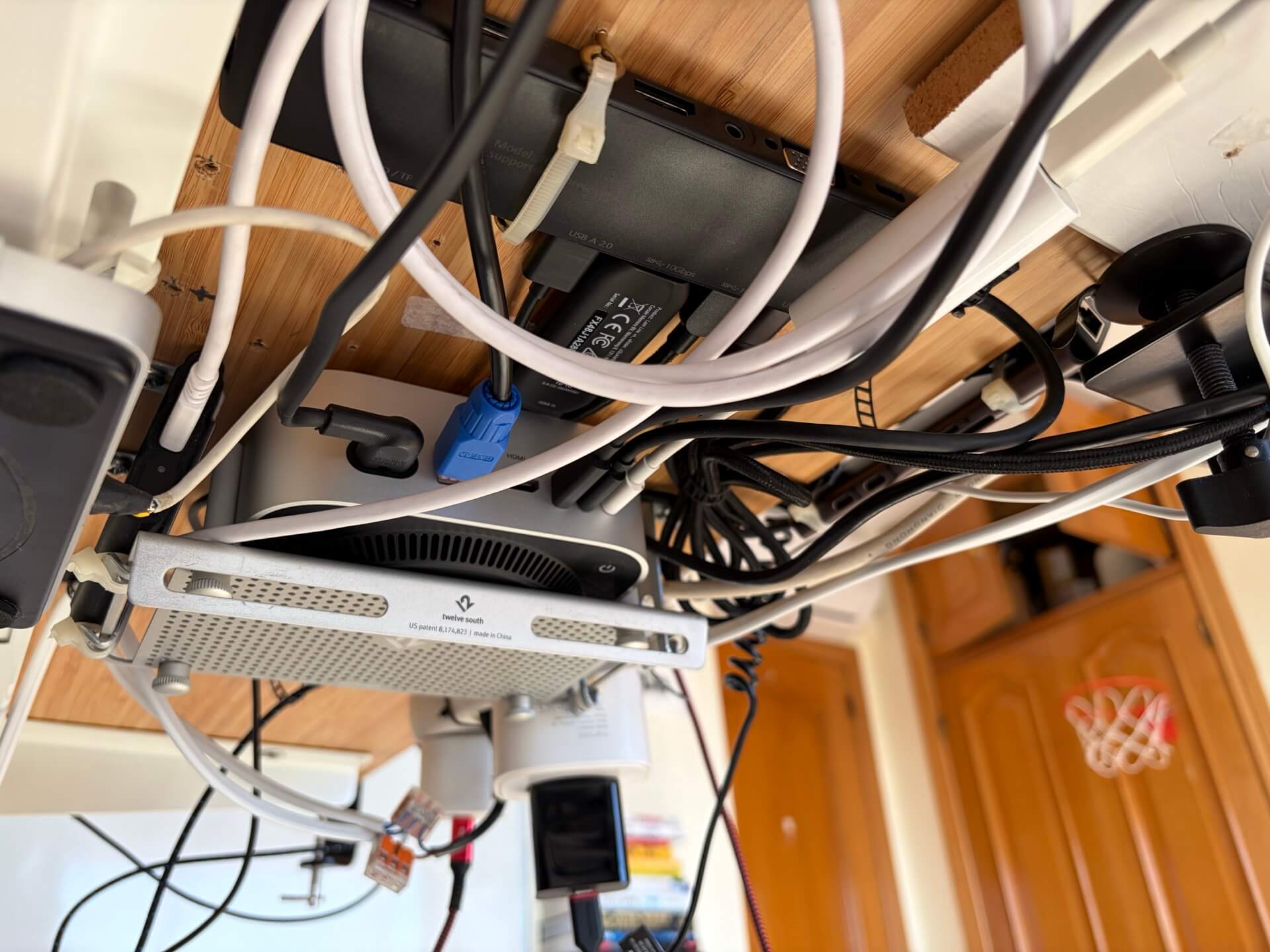
This way I can connect stuff to all the ports of Mac Mini. In the back I have all 3 Thunderbolt ports used for main display, additional display and USB hub. In the front I connected the microphone and external 2TB SSD drive.
4. Monitor: Asus ProArt 6K Monitor
Apple announced two new 27” monitors this year - Studio Display and its XDR version. I had already been rocking a 27” monitor for years - an LG 27UK850-W - running in an upscaled 5K mode. This meant I needed to finally get a 6K 32” monitor that wouldn’t cost me $6K… and after much research I decided to get the Asus ProArt 6K display (PA32QCV) which can be had for a little over $1K. Here in Europe I bought it for 1400 EUR.
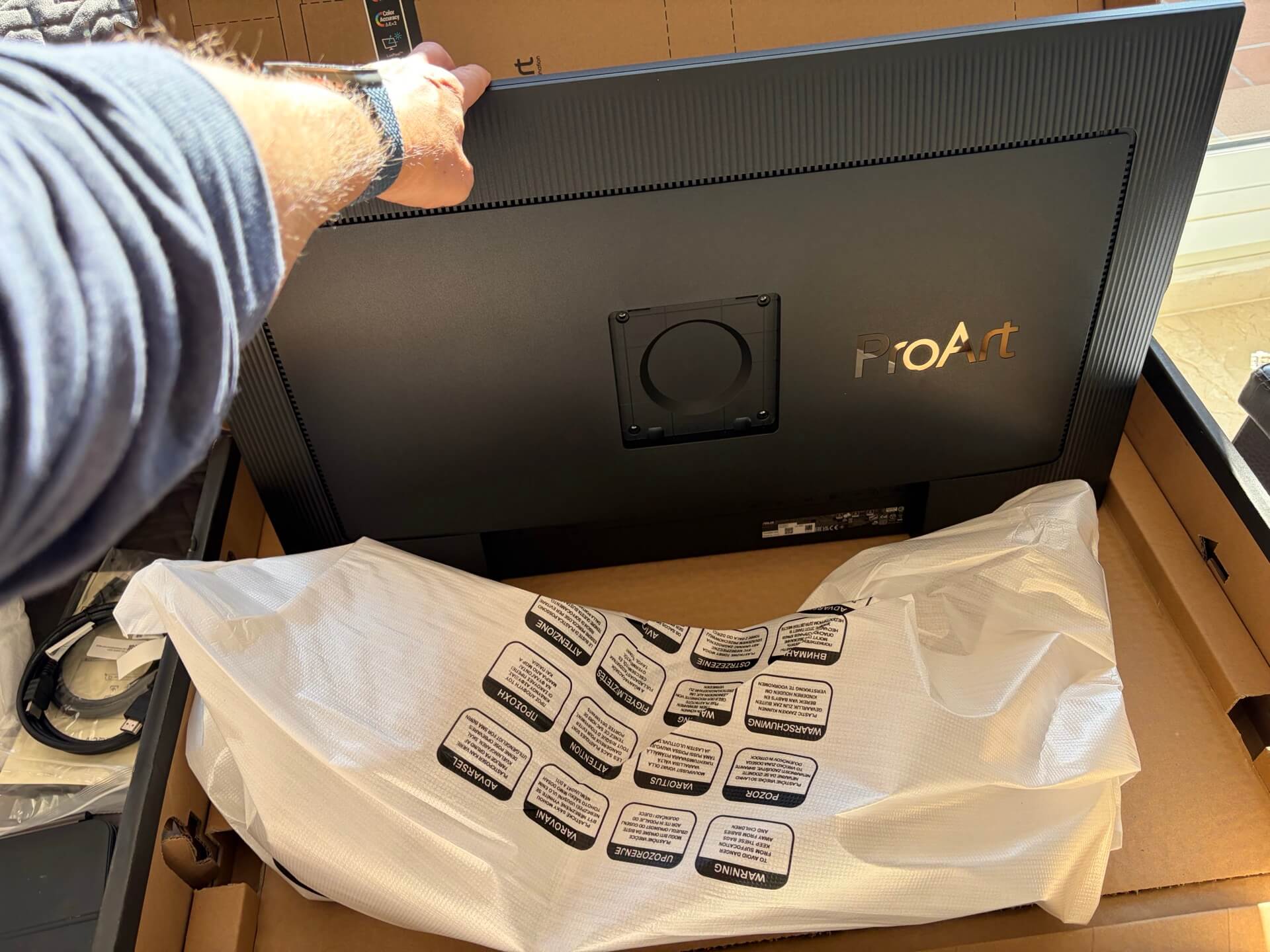
I chose this screen because it’s been praised by reviewers for its good anti-glare coating, crisp 6K resolution (6016 x 3384) and versatility of ports (including Thunderbolt 4). I don’t mind its black plastic case, especially at this price point, but to be honest, it fits perfectly at my desk connected to the VESA mount.
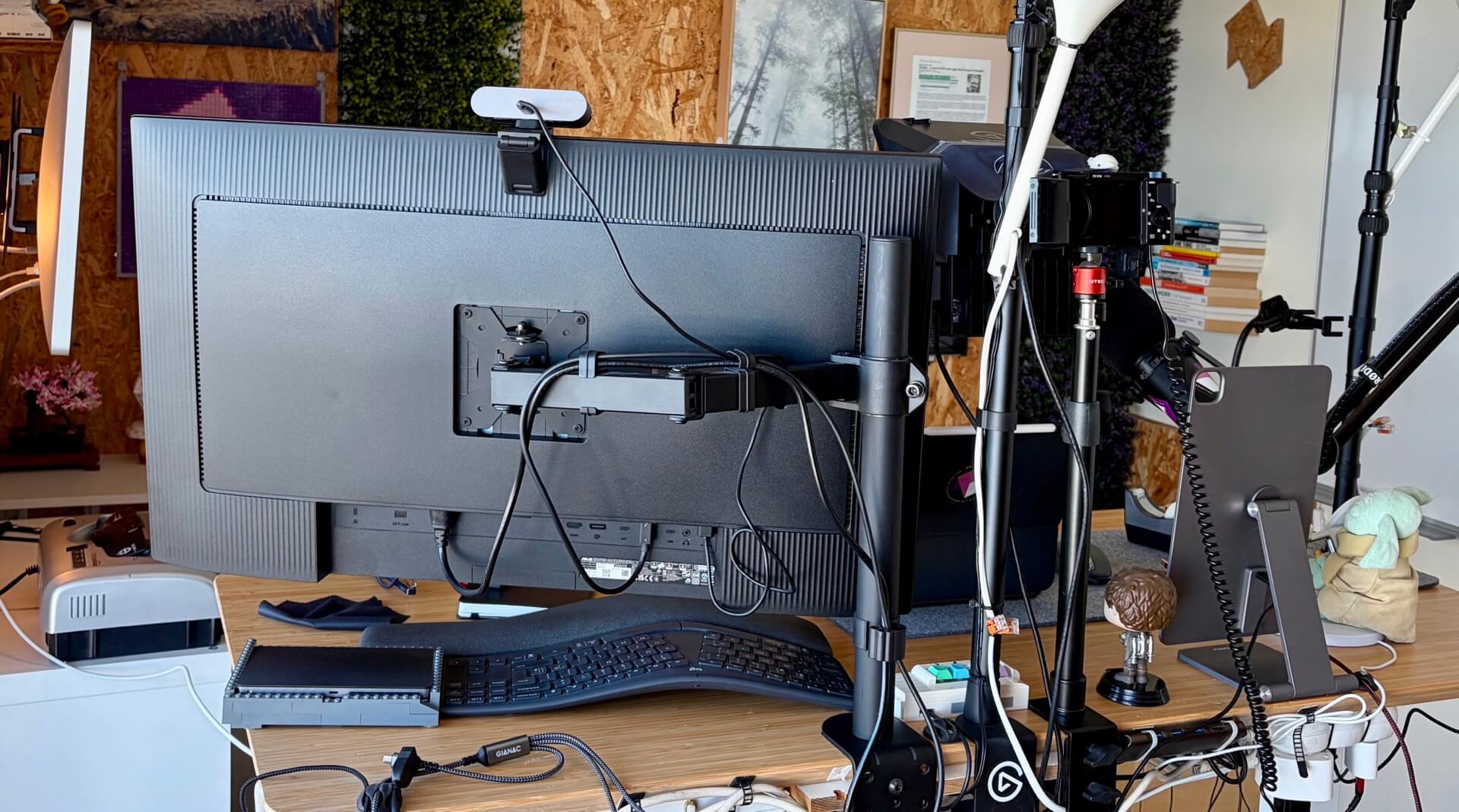
The only problem is the human nature. When I installed it I was blown away by its screen size. After half an hour I got simply used to it and this gorgeous screen estate is my new normal now. 🤷🏼♂️
5. Backup monitor: 15-year old Apple Thunderbolt Display
My good old trusty Apple Thunderbolt Display after 15 years of service doesn’t seem to want to die. Many years ago I put it on the wall and created an iPad corner where I can easily hook my iPad Pro to extend its screen. This year I’ve come up with another idea - why not hook it up to the Mac Mini as well?
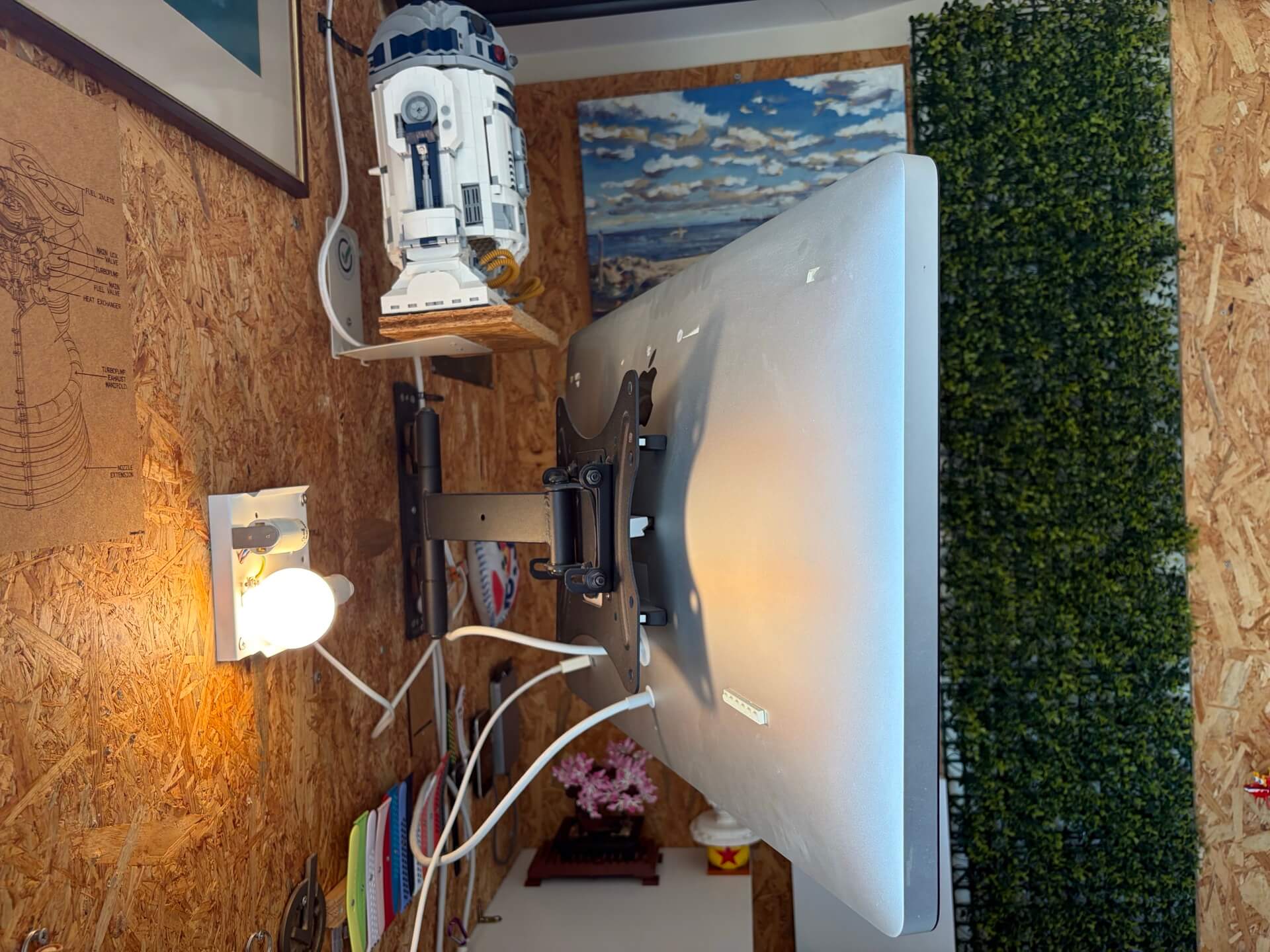
All I needed was a 2m Thunderbolt 2 cable which I still had lying around in my cable stash (and Apple is no longer selling). I connected old Apple’s Thunderbolt-3-to-2 adapter to the Mac Mini, later the cable and then plugged it to the Thunderbolt 2 port on the monitor. Worked! Now I have YouTube on that other screen as well as feed from my HomeKit cameras.
I also used NFC tags to create an automation that when I touch the tag with my iPhone it toggles a smart switch that turns on or off this display and lights up one of the IKEA smart bulbs.
6. Microphone: Shure MV7
I’ve been using this microphone for more than 5 years now. Shure is now selling an upgraded MV7+ with USB-C connectivity, so I recommend you get the new one. Mine is still with a Micro-USB port so I had to get a braided Micro-USB to USB-C cable to be able to connect it directly to the front port of my Mac Mini. I have the microphone set up on the Rode PSA1 arm.
7. Teleprompter: Elgato Prompter
Over the years I’ve been using many different setups as teleprompters but this new Elgato Prompter is easily one of the best gadgets I’ve discovered over last years. It’s an amazing piece of engineering - and so useful!
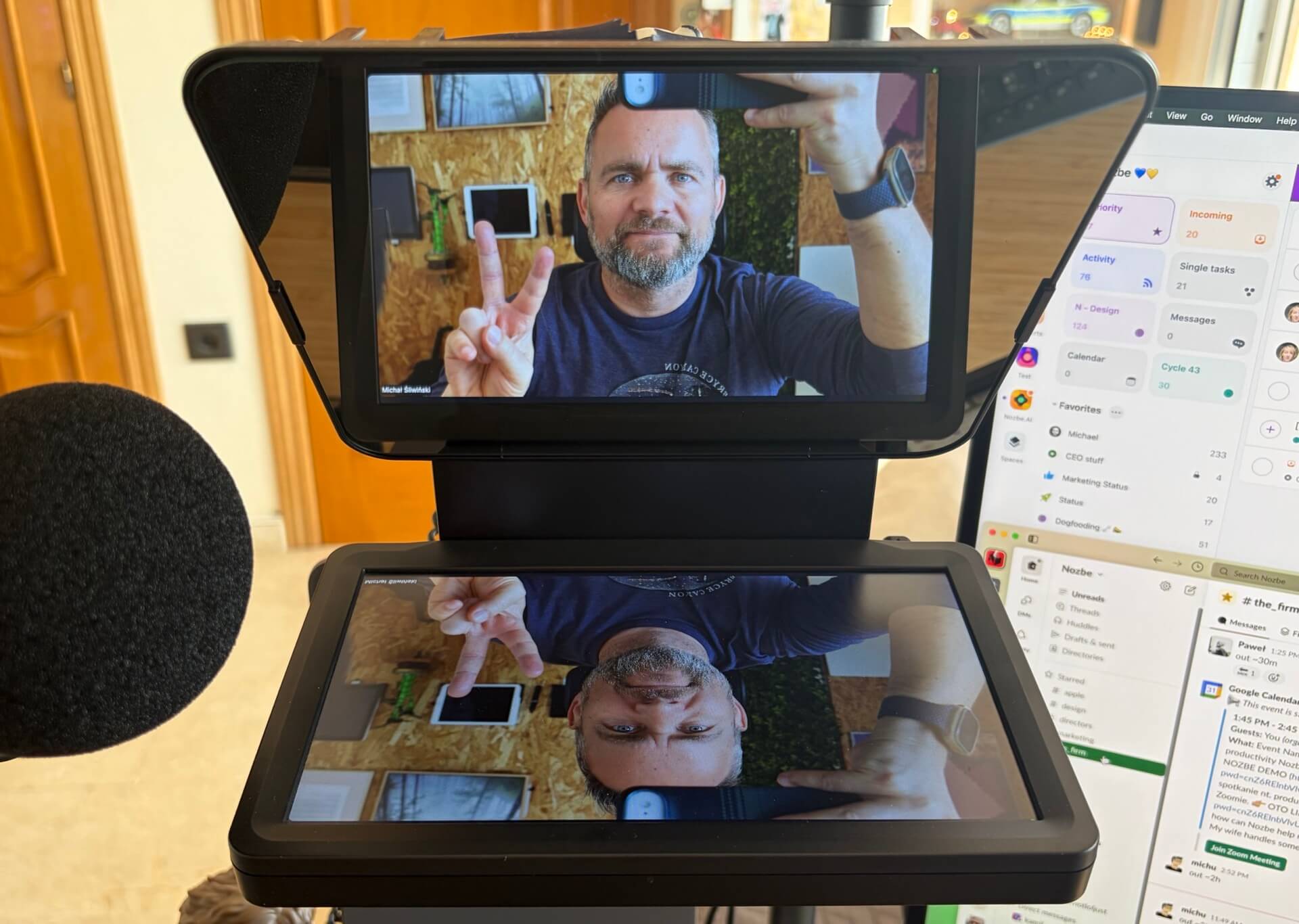
It serves many purposes for me - it’s an additional screen (third monitor hooked up to my Mac mini!), it’s a video conferencing setup and it’s a great teleprompter. And it hooks up with just one USB-C cable to my Mac Mini and works great. If you’re doing lots of video conferencing or are recording videos when you talk to the camera, I can’t recommend it enough.
8. Lights: Elgato KeyLight
After tinkering with different lighting situations in my home office, around 5 years ago I bought two of the Elgato KeyLight units. I haven’t looked back. They are not perfect, as their software is garbage. However, I managed to configure them with my Homebridge setup and now I can also turn them on and off from the Apple Home app.
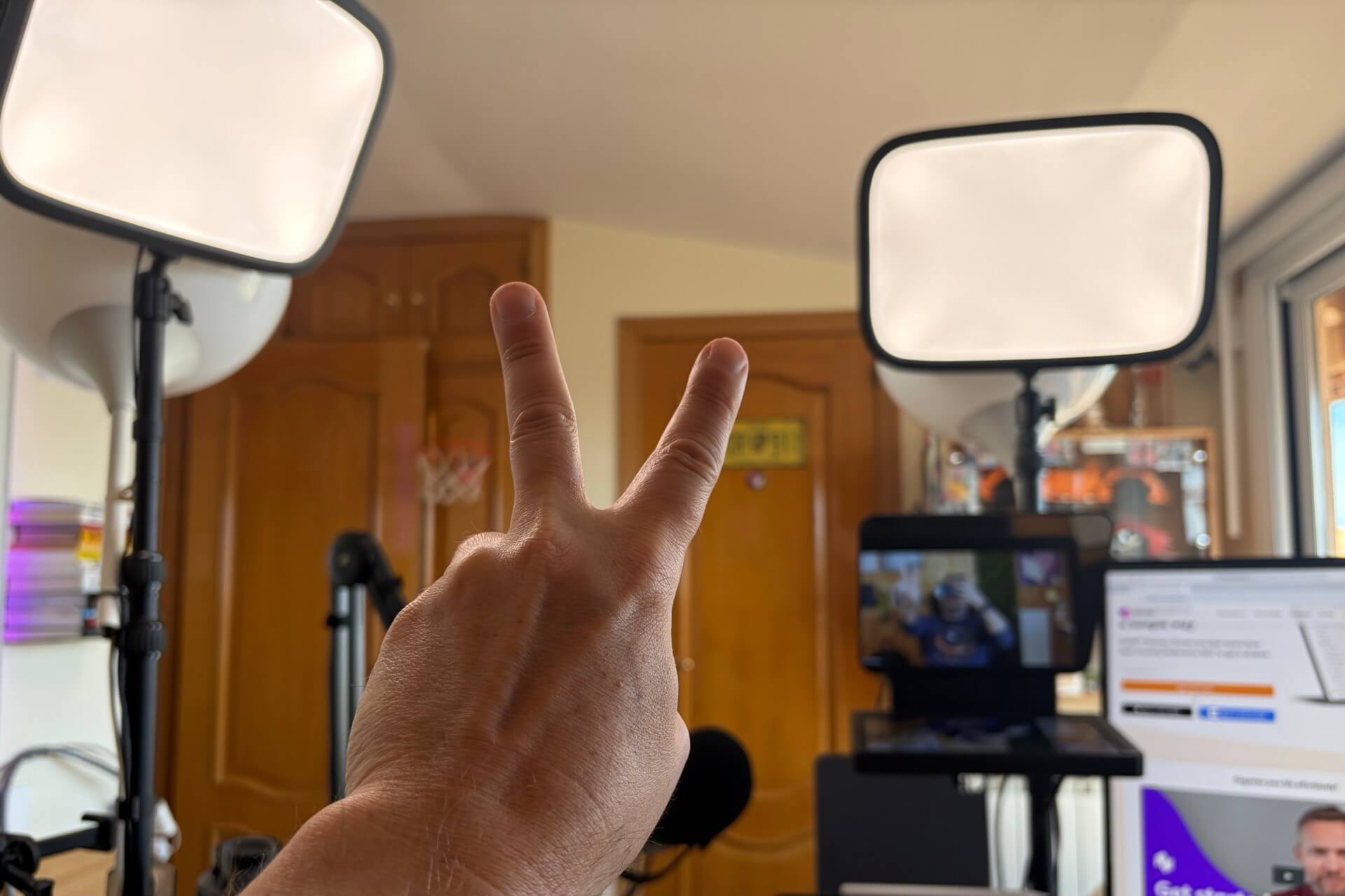
I’ve set them up that one is shining on me from the side and one from the front, so I can have a controlled light in my studio whenever I’m recording.
9. Input: Logitech Ergo Keyboard, MX Anywhere Mouse and Trackpad
Apart from the Magic Keyboard attached to my iPad, I also like the ergonomic keyboard from Logitech - Ergo K860. I’m a right-handed man, but back in high school, I learned to use the mouse with my left hand, so I keep my MX Anywhere 3S on my left side and Apple Trackpad on the right hand side.
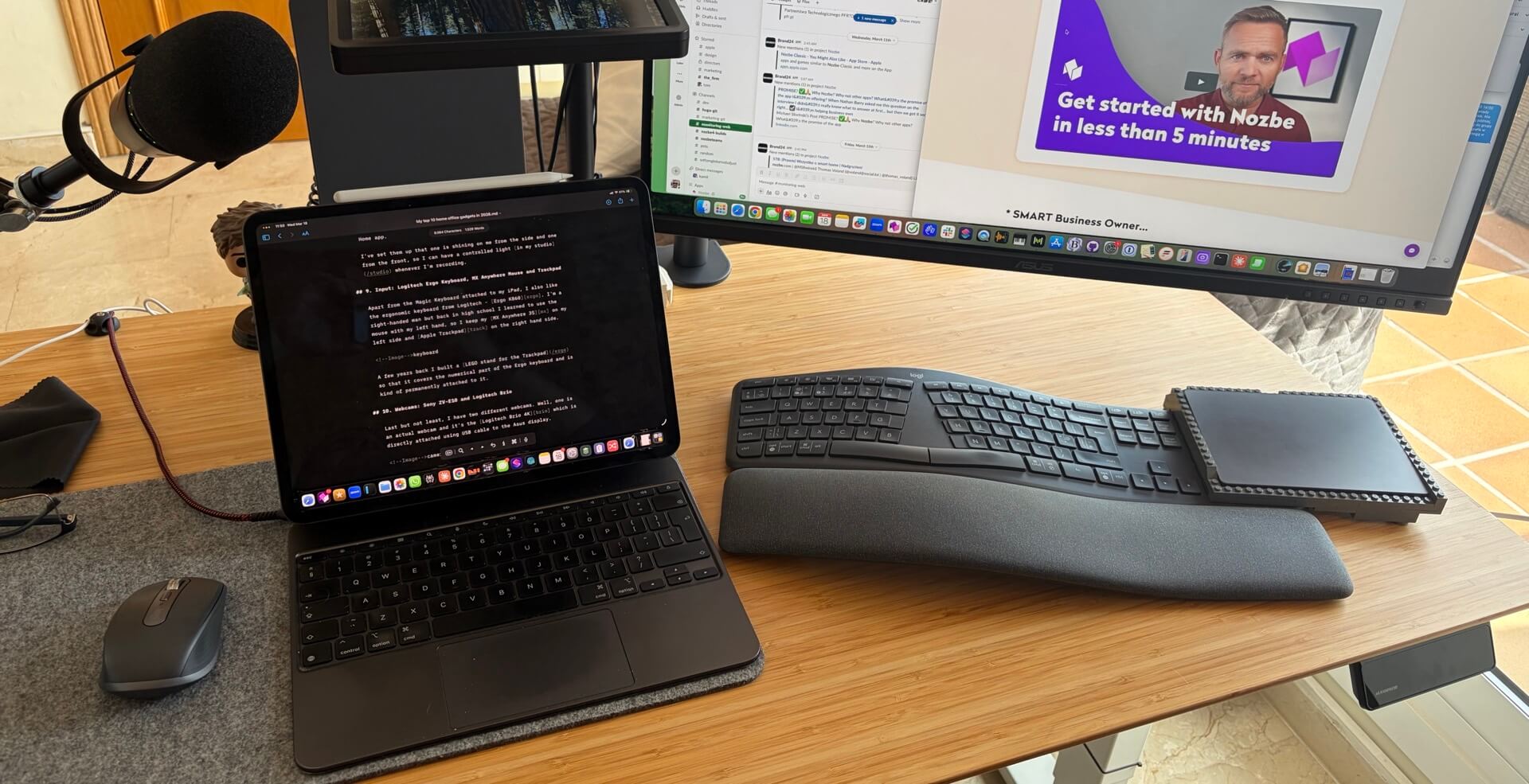
A few years back I built a LEGO stand for the Trackpad so that it covers the numerical part of the Ergo keyboard and is kind of permanently attached to it.
Both the keyboard and the mouse can connect to up to 3 Bluetooth devices so at setting “2” I have both paired directly to my iPad Pro in case I want to use these accessories with my iPad exclusively.
10. Webcams: Sony ZV-E10 and Logitech Brio
Last but not least, I have two different webcams. Well, one is an actual webcam and it’s the Logitech Brio 4K which is directly attached using USB cable to the Asus display. I use it as a backup webcam, because…
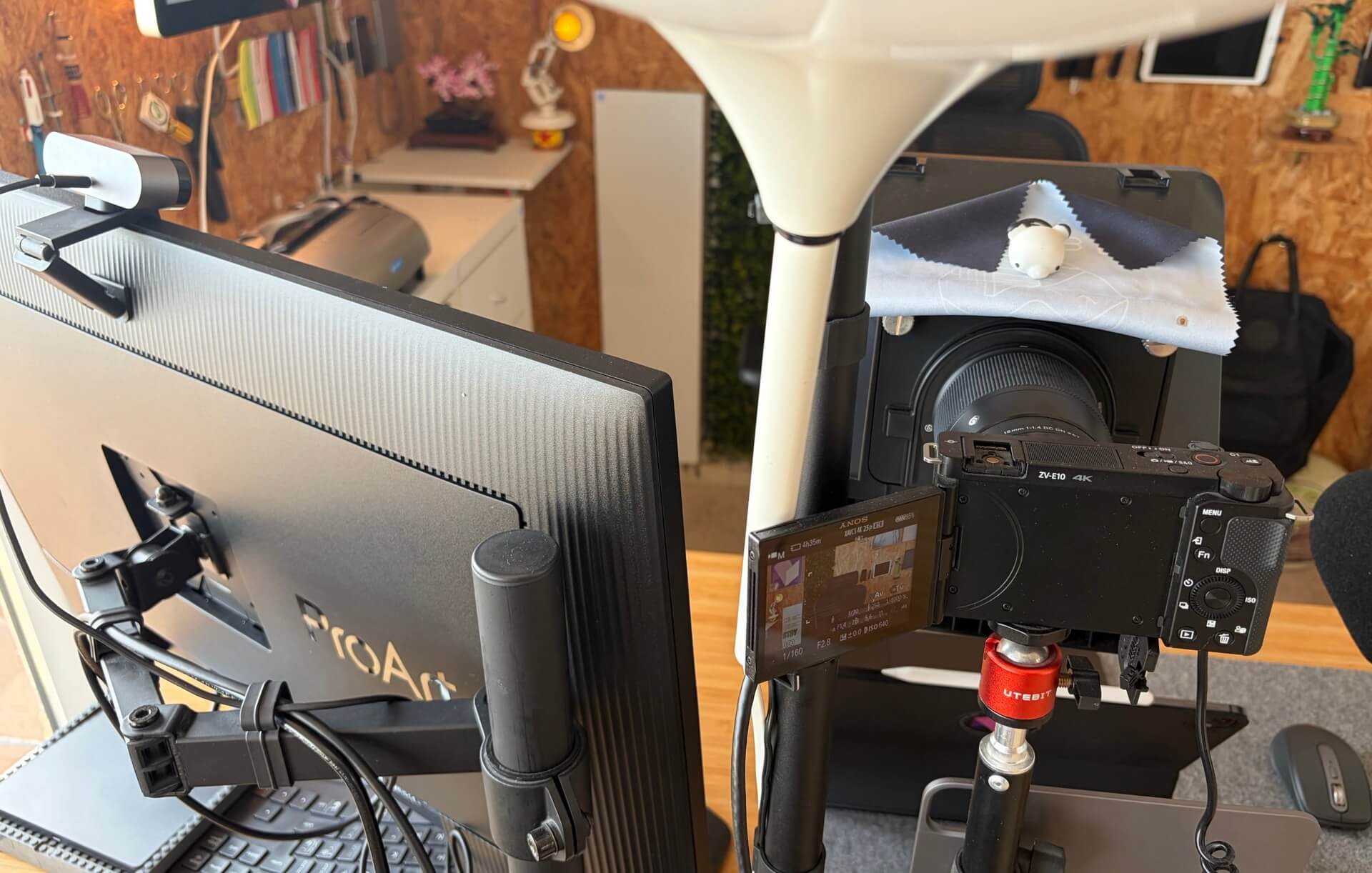
My main one is the Sony ZV-E10 which has a very expensive but amazing Sigma 16mm lens on top of which the Elgato Prompter is mounted. The camera is connected with mini-HDMI to HDMI cable to the Elgato Camlink 4K connected to the Lemorele dock which is attached to the back of the Mac Mini. Yep, sounds complicated but it all works perfectly together.
PS. DVD Drive just in case?
I’ve had the Apple DVD drive since my first Macbook Air 18 years ago and I’ve kept it all these years. Recently someone gave me a DVD disk with some data on it and I needed to read it, so I decided to permanently attach the DVD drive below my desk.
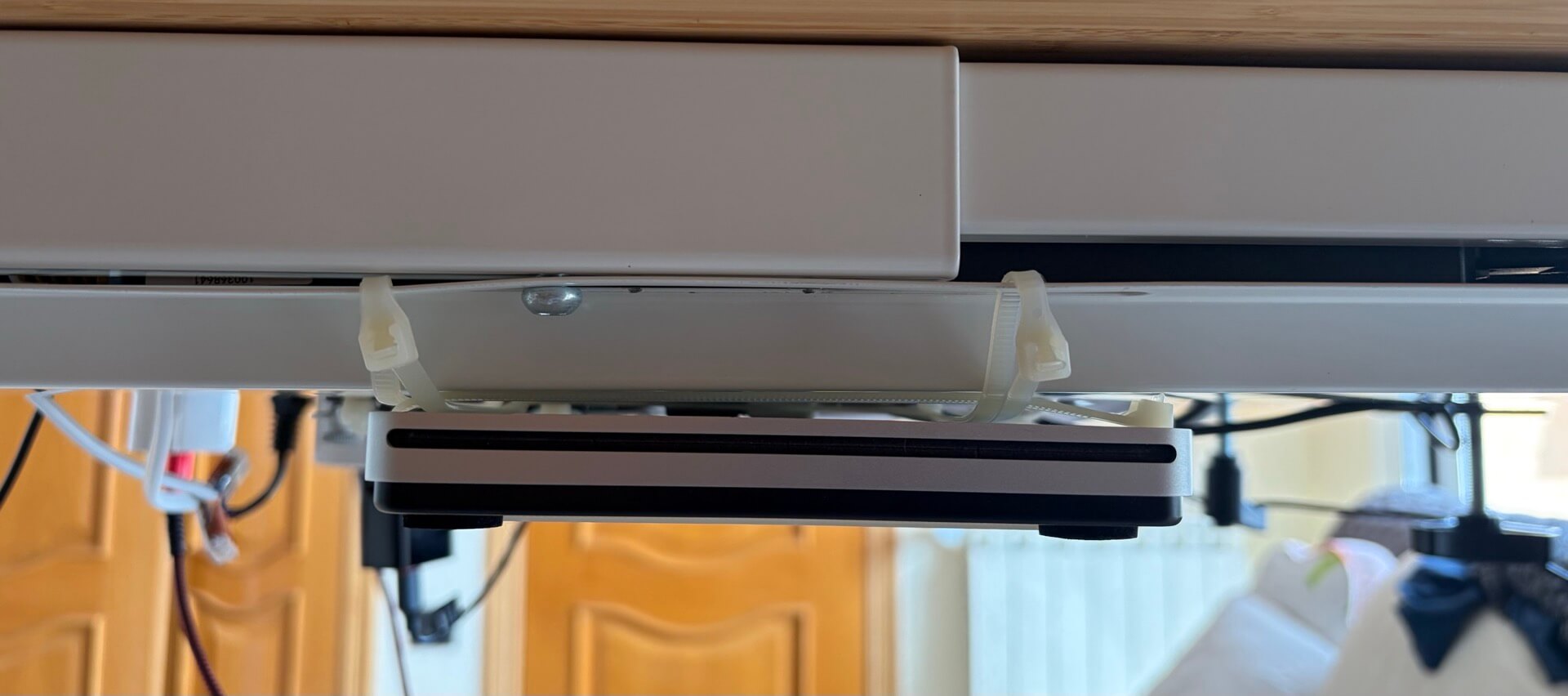
The drive is attached to the desk, but not to my Mac. It has a simple USB cable with USB to USB-C dongle and when I need to use it, I simply detach the Thunderbolt Display adapter from the Mac Mini and attach the drive to the same port. It works perfectly. Even if I have to connect a disk to my computer once a year, it’s very convenient now. And gives me some additional old-school vibes.
Home Office 2026 is ready for this year’s challenges!
This year it’s just a slight improvement from the home office 2025 edition with the Mac Mini below the desk, Thunderbolt Display being used more again and the main Monitor growing to a 6K resolution and 32”.
What amazes me the most is that some of the gadgets from this list I’ve used for years and they are still as amazing as they were when I got them. I love it when the technology is not seasonal, but lasts years or even decades. Don’t you?