
Selecting multiple different options in Shortcuts à la “Radio button”
🔗Shortcuts
I’m working on version 5 of my popular Journaling Shortcut App where I want to add support not only for saving journal entries to a markdown-formatted text file, but also Apple Notes, Nozbe and more… I want to give the user an option to choose from these various destinations for their journal entries to be saved. Something like a Radio button. Turns out, it’s not easy to do it in Shortcuts so here’s my solution.
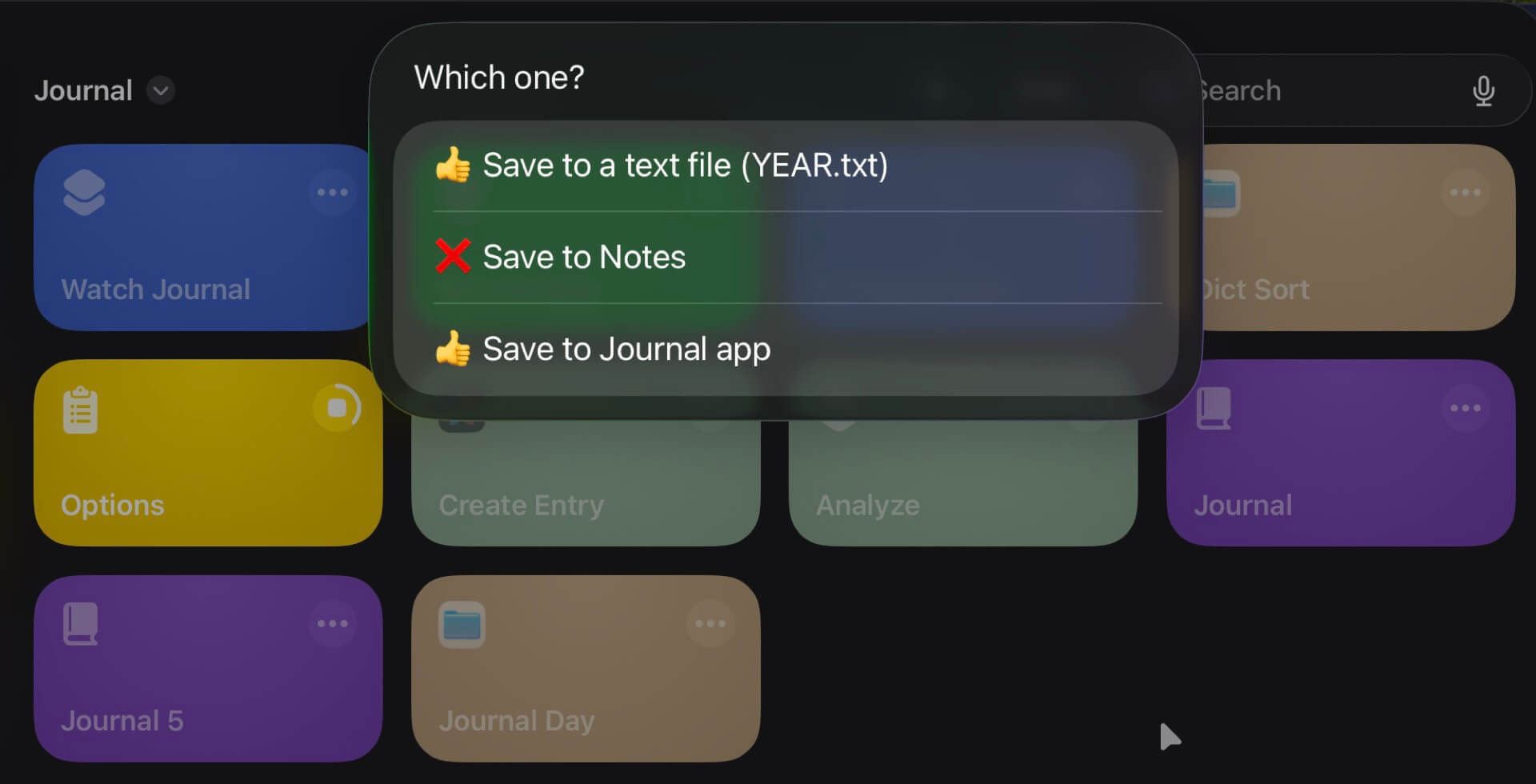
How to show all options and select only few…
There are two main Actions in Shortcuts that let you show a list of items to choose from: “Choose from Menu” and “Choose from List”. When I’m using the latter one but the problem is I cannot determine easily which options should be selected when showing the list. I can only decide if I want for all the items on the list to be selected or none.
I can’t define specific items to be selected. So…
🚀 Emoji to the rescue!
That’s why I decided to use two emojis as my main determination if the option is selected or not: “👍” or “❌”.
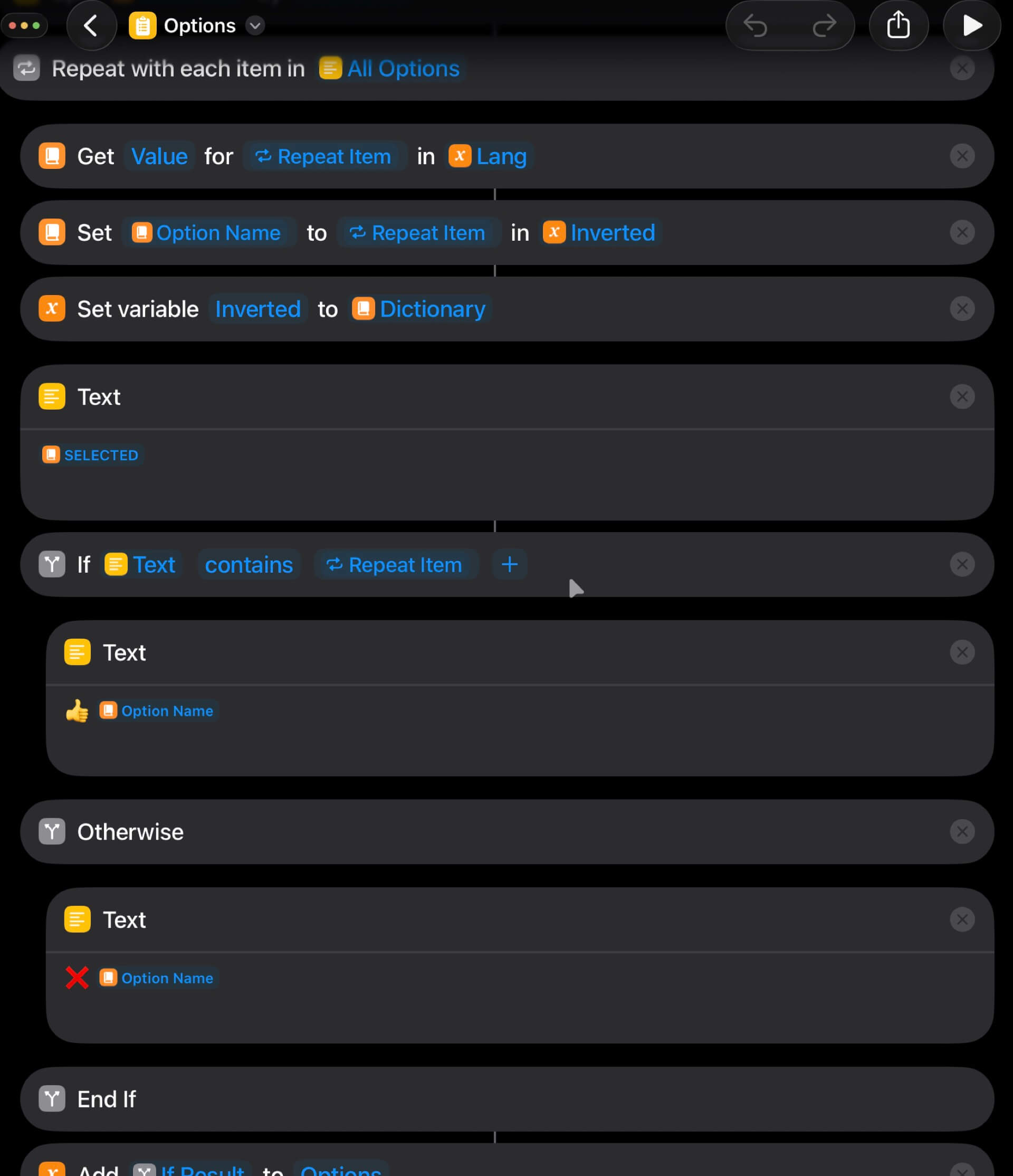
Now I’m using a simple regular expression and simple if statements to see if an option is selected or not.
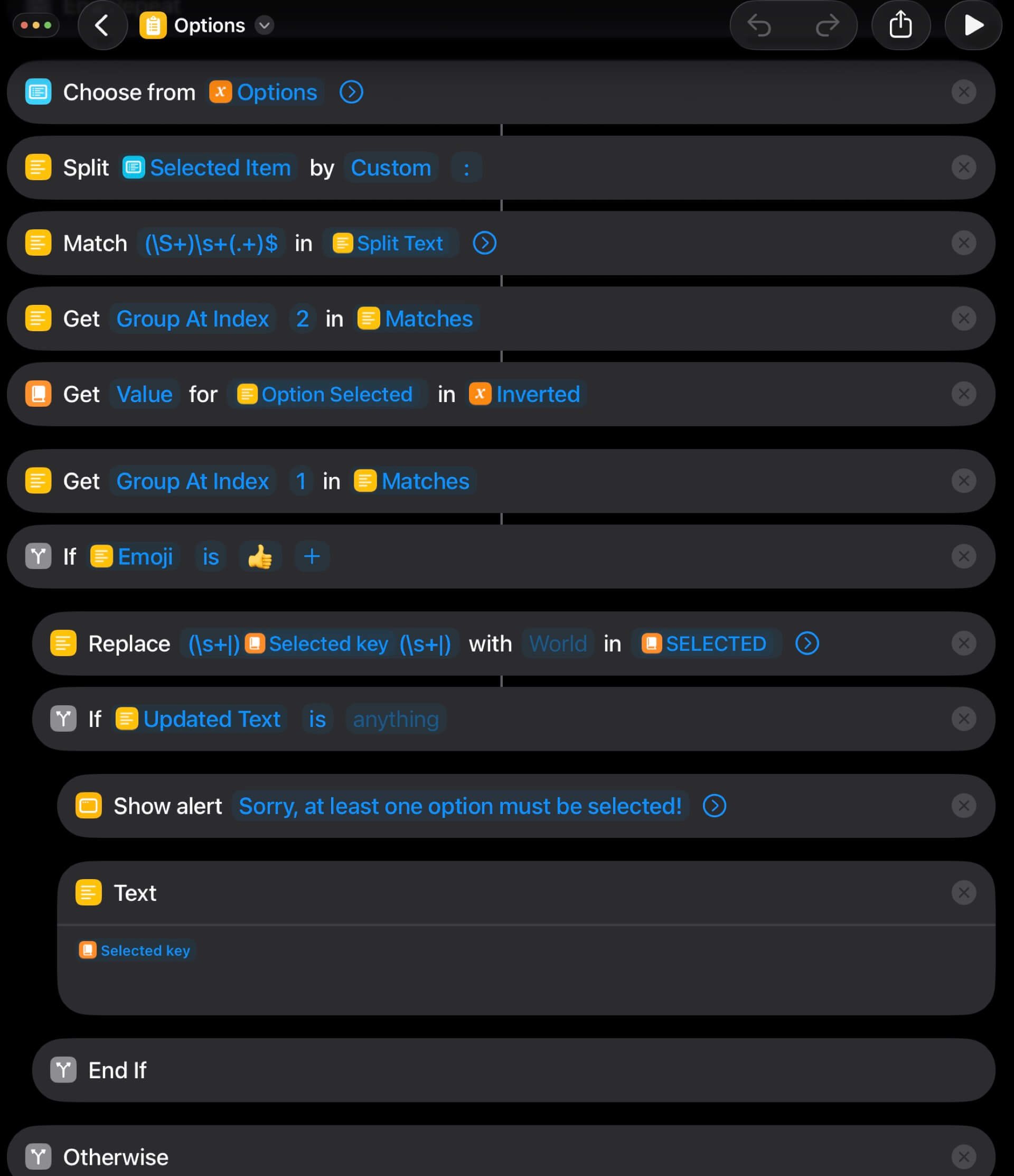
I define and save the data in a JSON file called: options.json
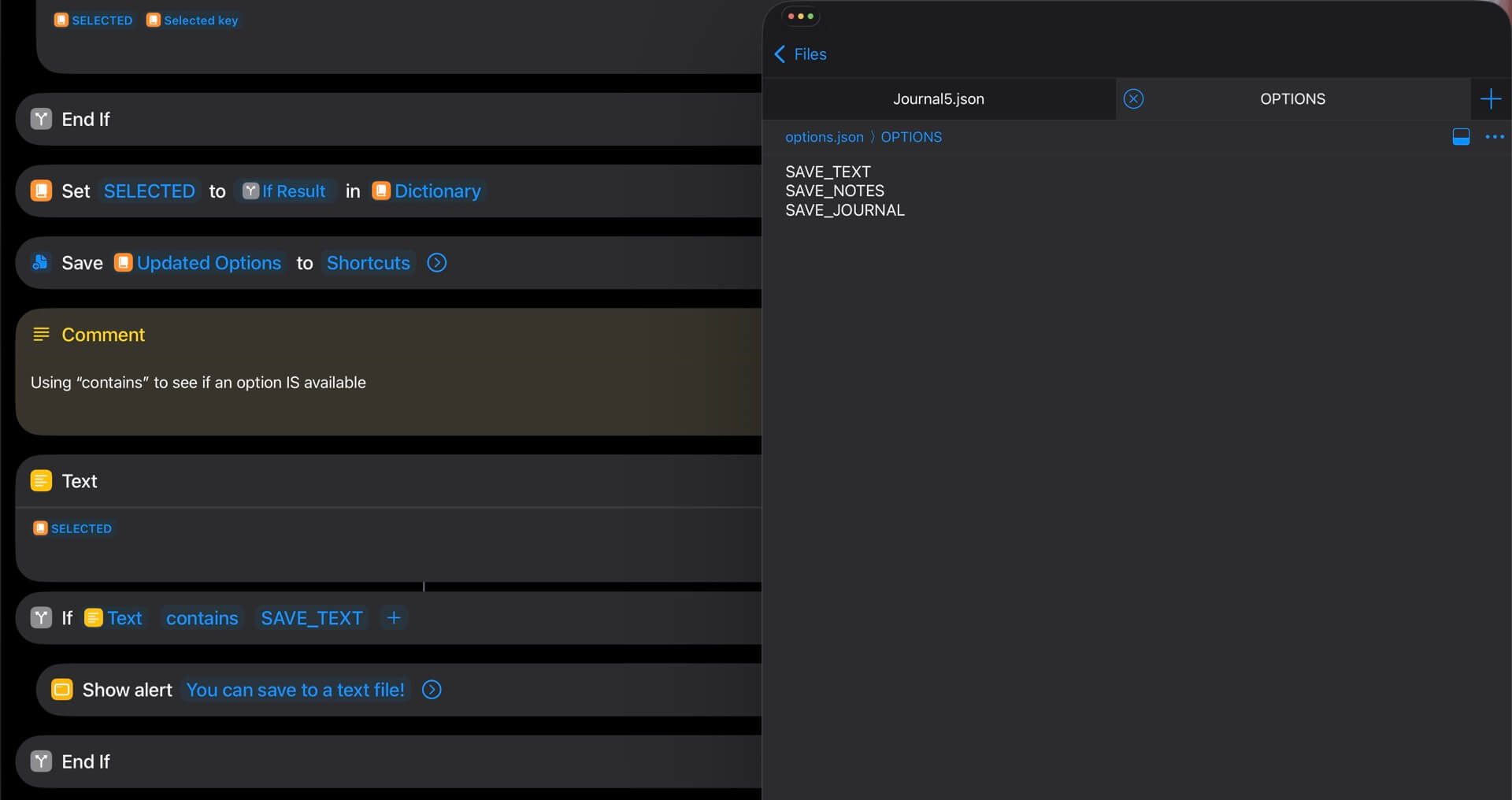
I’m saving the selected options in one text field separated by spaces, which lets me later use a simple “if… contains” statement to see if the one option that interests me is selected or not.
Get the “Options” Shortcut
You can download the Options Shortcut as well as the accompanying options.json file to test this in action.
Just like my previous JSON manipulation Shortcut this Shortcut doesn’t do anything useful as such. It’s just a proof of concept and a hack that I will incorporate into my latest Journaling Shortcut.
I hope you’ve found it useful, too.