
Formatting lists in Shortcuts
🔗Shortcuts
In Apple Shortcuts I use “lists” a lot. Especially in my Journaling shortcut and my upcoming new “Clipboard Manager” which I’m using every day. The lists are not very well documented so it’s a question of trial and error to figure out how to format them the way you want. Here are two tricks that I use:
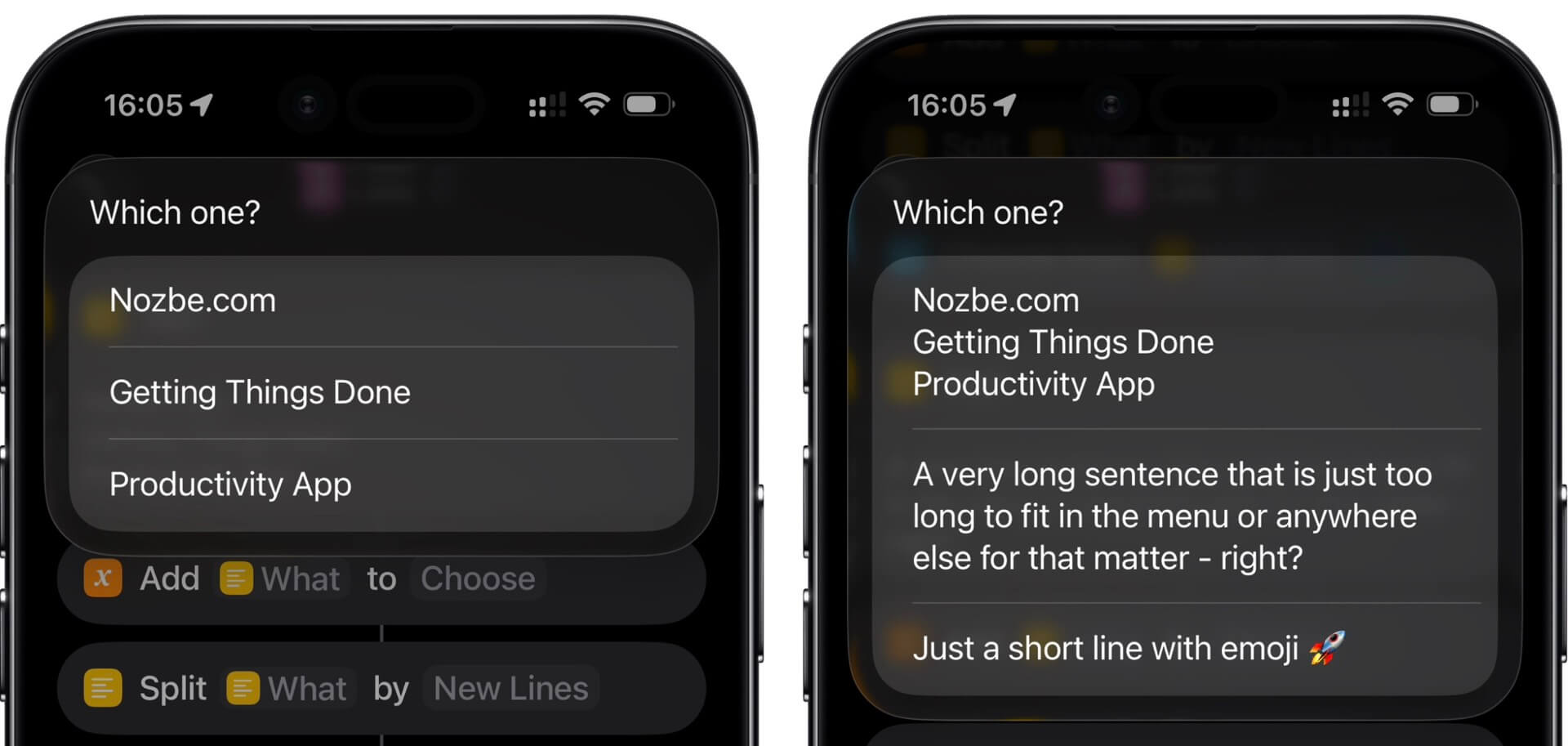
Standard list
If I want just the list of items, I can list them in a text field and add action “split items” by “line breaks” and that’s it.
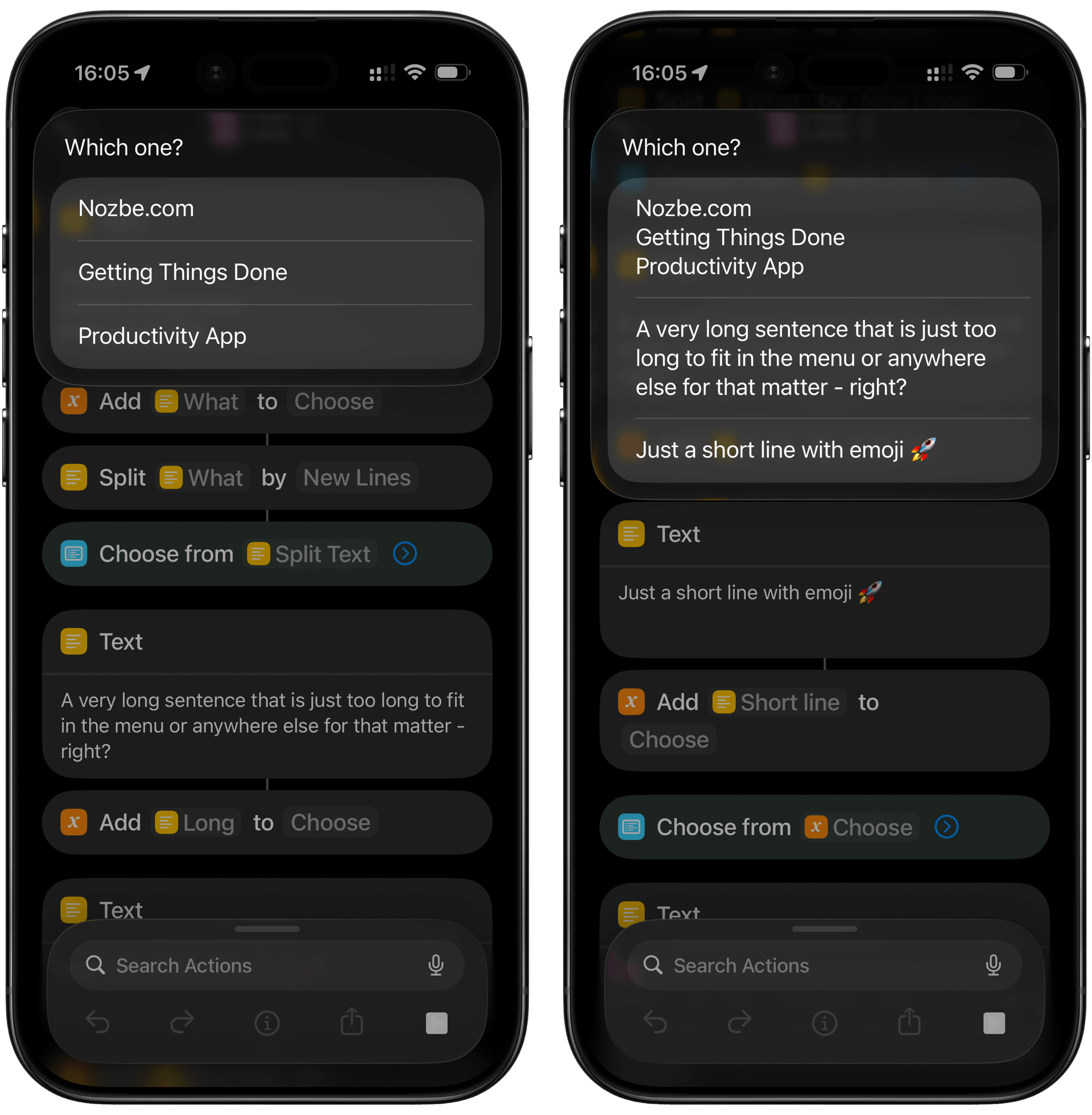
However, when testing this feature I realized that you can also put a multi-line item to the list and it will display the entire paragraphs inside the lists.
List instead of an alert?
The feature of displaying long paragraphs is especially useful. I started using “choose from list” in many places in my shortcuts instead of a simple “alert” because the alert would trim the paragraph or display it incorrectly.
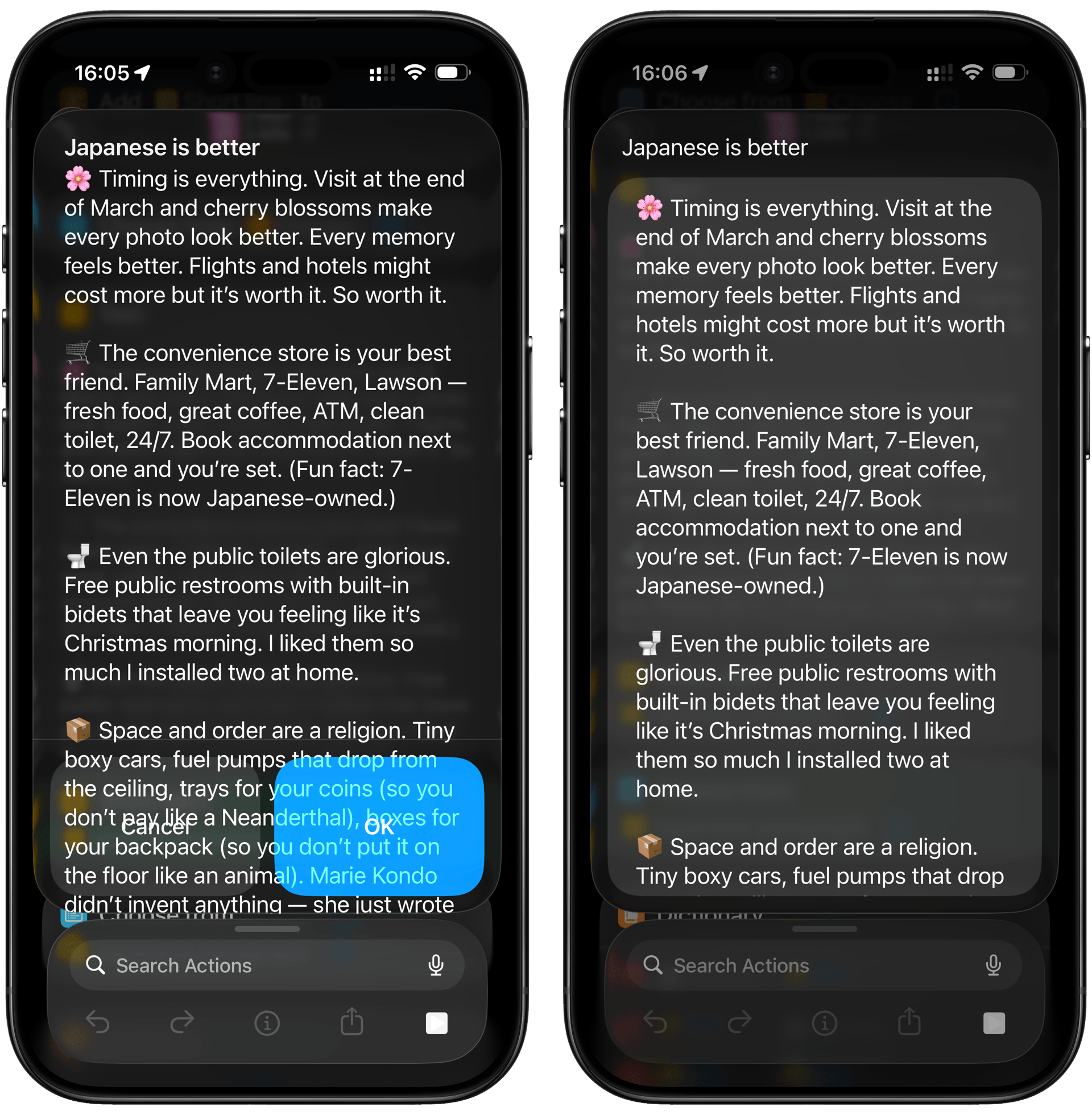
As you can see, an alert doesn’t have a scroll and it goes over the “Cancel/OK” buttons. The list has a scroll and you can just tap on the list or add an “OK” button as another list item.
Lists formatted with Dictionaries
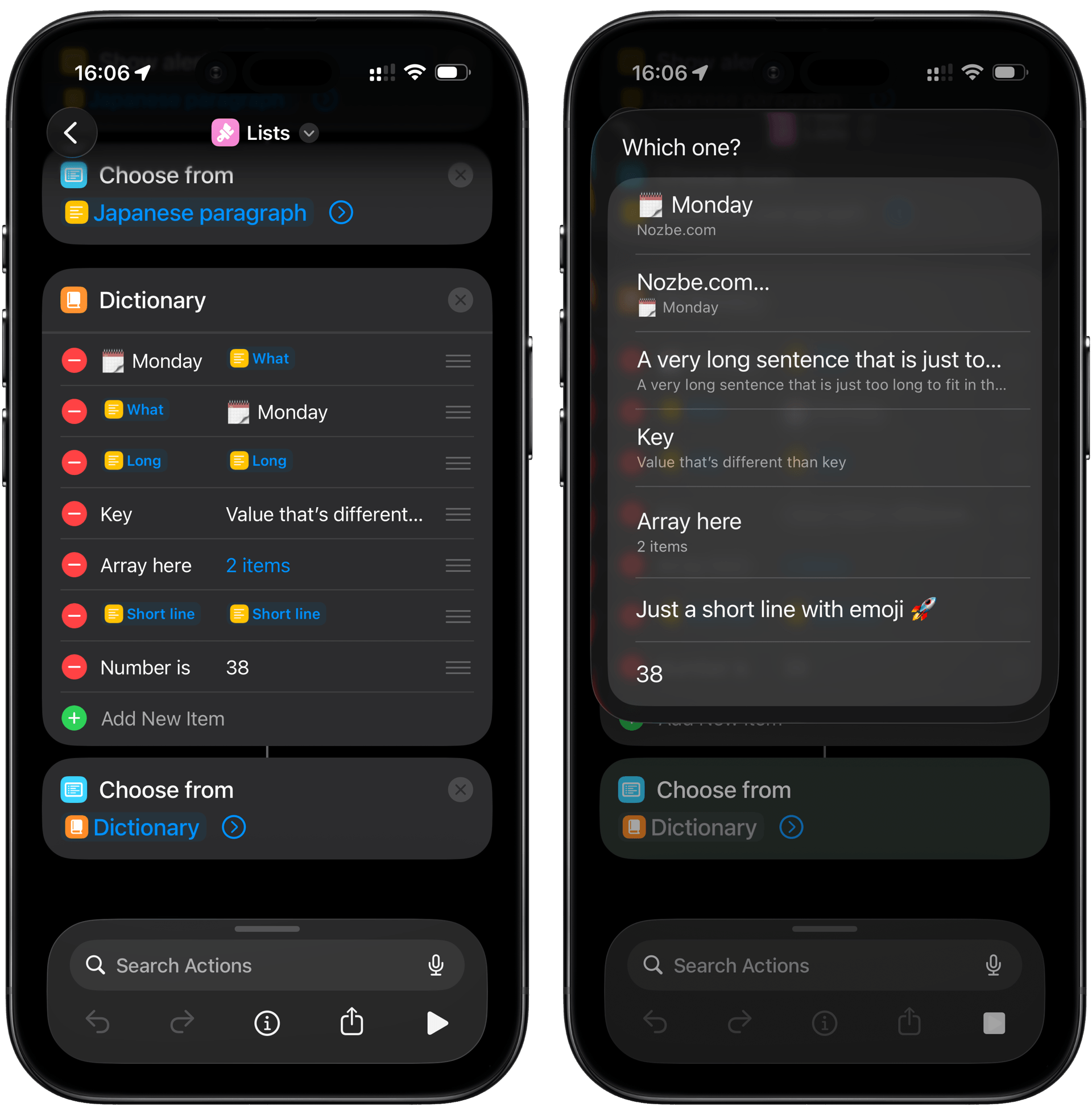
I realized recently that you can have a list formatted a little differently when you use a Dictionary object, but in that way you actually lose the ability for the list to display entire paragraphs. The long paragraphs will be trimmed to one-liners if you go that route:
What to watch out for:
- Key is the bigger item on the list
- Value is the sub-item on the list
- If Key and Value are the same AND short, only the Key will be displayed. That is the case of Value being “Text”.
- As mentioned above, every item is trimmed to one line
- And there is a bug that if the Key and Value are the same but they are long, they will be both displayed, contrary to point (3).
- If the Value is “Number” then contrary to (3) the Value will be displayed. Not the Key.
- If the Value is “Array” then the Key will be displayed as the bigger item and the sub item will be the number of items in the array.
Try it yourself!
Here’s a Shortcut I built to demonstrate the different behavior of lists and their items:
🔗 Lists
P.S. There are many more formats of lists which are non-standard!
Of course, the lists also behave differently if you send them data that’s very specific like Contacts (and people often hack those!) or other items which are custom to their apps.
We’re currently working on a whole suite of Shortcut Actions for Nozbe and these will display completely differently. Stay tuned.