
My goal with Nozbe has always been to create a simple-to-use as possible productivity app on the Internet. However, in time every “simple” app needs some “advanced” features and as they creep up, they can start becoming a barrier of entry for completely new users. That’s why over the last half a year we’ve tackled the challenge of simplifying the onboarding experience while also giving some additional flexibility and customization for power users. Just watch the video of the new, redesigned “side bar”:
Start with 2 tiles and a list of projects… that’s it!
Before the change, depending if you were a single person signing up for Nozbe or a team owner, you’d either see 2 or 4 tiles. Then we’d also suggest “Favorites” view which you had no idea about and “Followed projects” which you also didn’t really understand. We did the same thing when you invited people to your team.
After the change, everyone gets a simplified view - only 2 tiles - the Priority view - tasks that you’ve marked with a “star” ⭐️ and the Incoming view where you can manage all the tasks that you need to do something about (due, reminders, mentions, delegations…). Then you get a list of all of the projects you have access to and then there’s the More list of additional features which you might later care about.
Customize your side bar by adding as many Tiles as you want!
Now, the power users get a level of customization in Nozbe they’ve never seen before - they can pin as a tile any view from “More” section or any project or even a tag!
I use Nozbe a lot and I have several workspaces so depending on each one I have 2, 4 or even 6 or 8 tiles! Recently in my private workspace I put “Holidays 2026” as a tile because I was spending most of my vacation time in this project so I wanted to have access to it quickly.
Colors, colors and more colors!
Additionally you can change the colors of the tiles. If you don’t want the Priority to be purple 💜 but want it to be red ❤️ instead? No problem. Incoming shouldn’t be orange 🧡 but green for you 💚? Done and done.
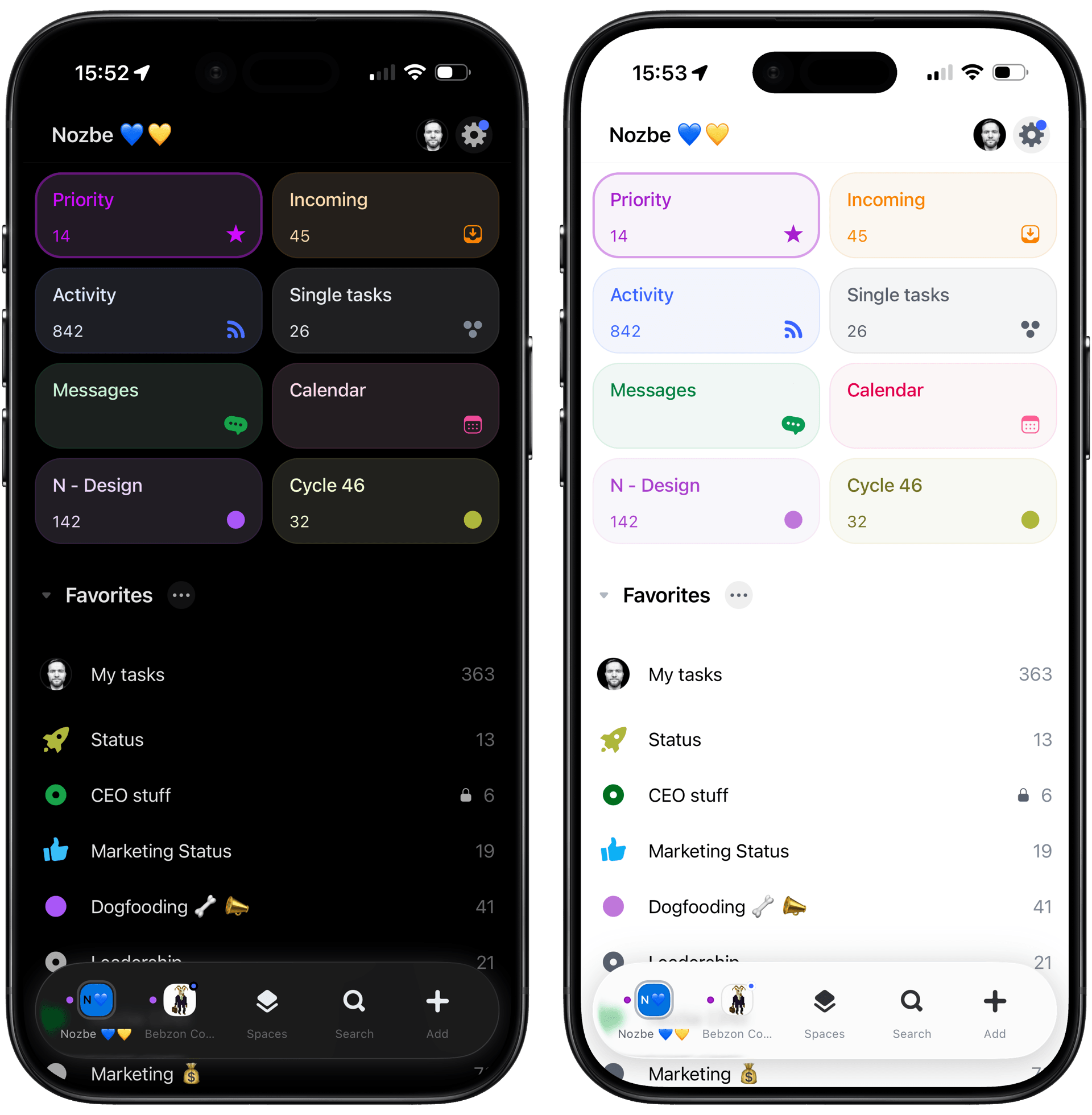
Above you can see my very busy tile view in my main “Nozbe” workspace right after I came back from the holidays. You can see how beautiful it looks both in the dark and light mode. I’m more of dark mode kind of guy, but you do you!
We added customizations while making things simpler?
That’s right. And our customers are so happy! We’ve received countless praises for this improvement.
If you want to learn more about how we built the new side bar, head over to Nozbe blog: Nozbe Sidebar Customization – Full Control Over Your App’s Look.